L3: Vault use-case onboarding
What it does
Grants an onboarded workload access to a specific type of Vault secret. This is the final layer. It creates the policy, identity group binding, and (where applicable) the secret engine mount.
Five use-case types are supported:
| Use-case | Description | Module |
|---|---|---|
| KV v2 (Kubernetes) | KVv2 mount + read policy for a K8s workload | terraform-vault-add-kvv2 |
| KV v2 (GitLab) | KVv2 mount + read policy for a GitLab workload | terraform-vault-add-kvv2 |
| PostgreSQL static role | Database static role access through Vault DB engine | terraform-vault-add-pgsql-role |
| Custom ACL permission group | Arbitrary Vault path capabilities | terraform-vault-add-permission-group |
| PostgreSQL connection (DBA) | Root DB engine + connection setup | terraform-vault-pgsql-onboarding |
Form fields
Common fields
| Field | Required | Type | Description |
|---|---|---|---|
| Tenant / Environment | Yes | Entity Picker | Select the tenant target created by L0. |
| Workspace Name | Yes | string |
Unique HCP Terraform workspace name, such as sdi-dev-payments-kv. |
| Use-case Type | Yes | enum |
Selects which use-case to provision (see table above). |
KV v2 (Kubernetes workload)
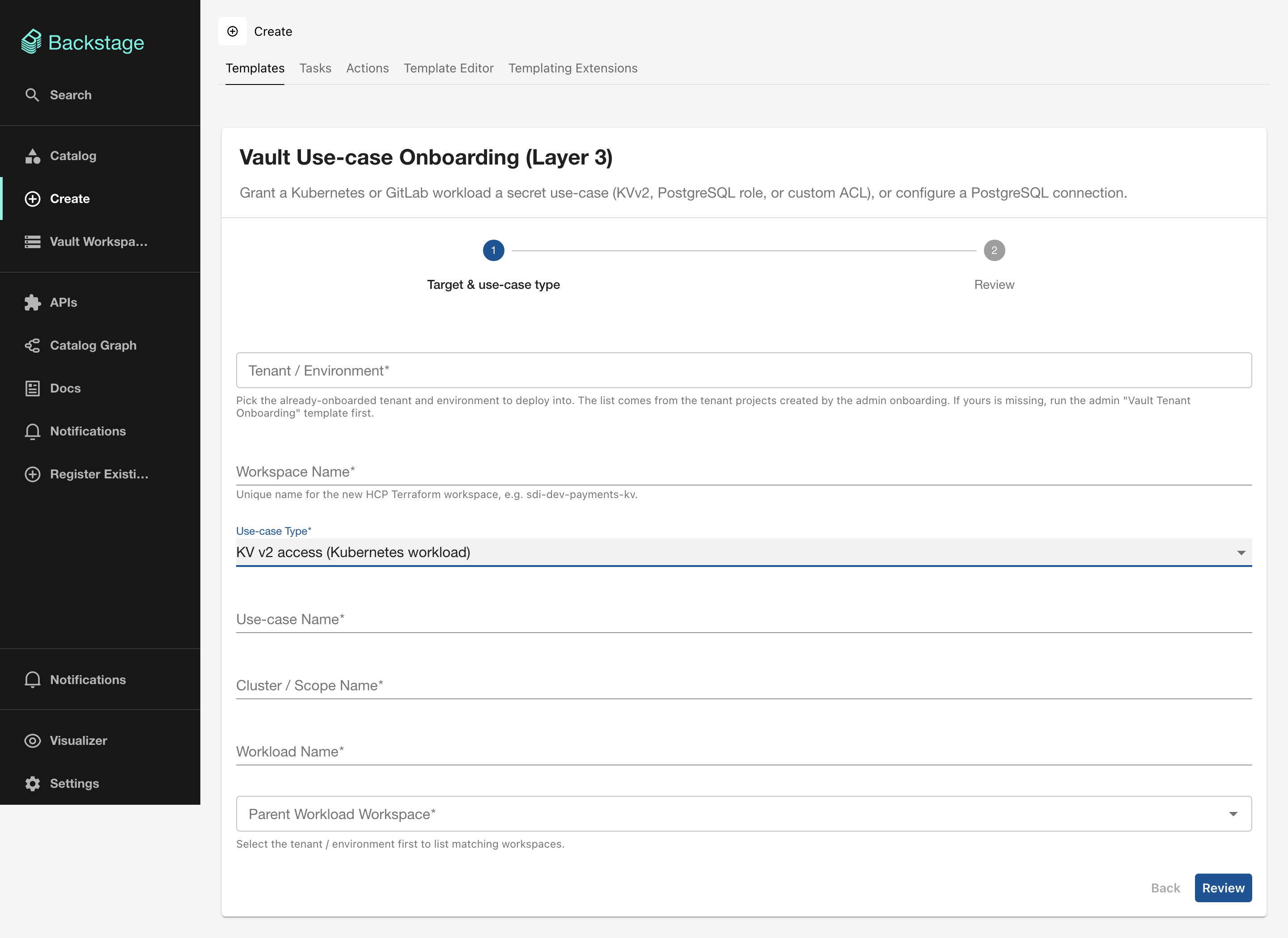
| Field | Required | Type | Description |
|---|---|---|---|
| Use-case Name | Yes | string |
Identifier for this use-case, such as app-config. |
| Cluster / Scope Name | Yes | string |
Must match the cluster name from L1. |
| Workload Name | Yes | string |
Must match the workload name from L2. |
| Parent Workload Workspace | Yes | Scoped Entity Picker | The L2 Kubernetes workload workspace. |
KV v2 (GitLab workload)
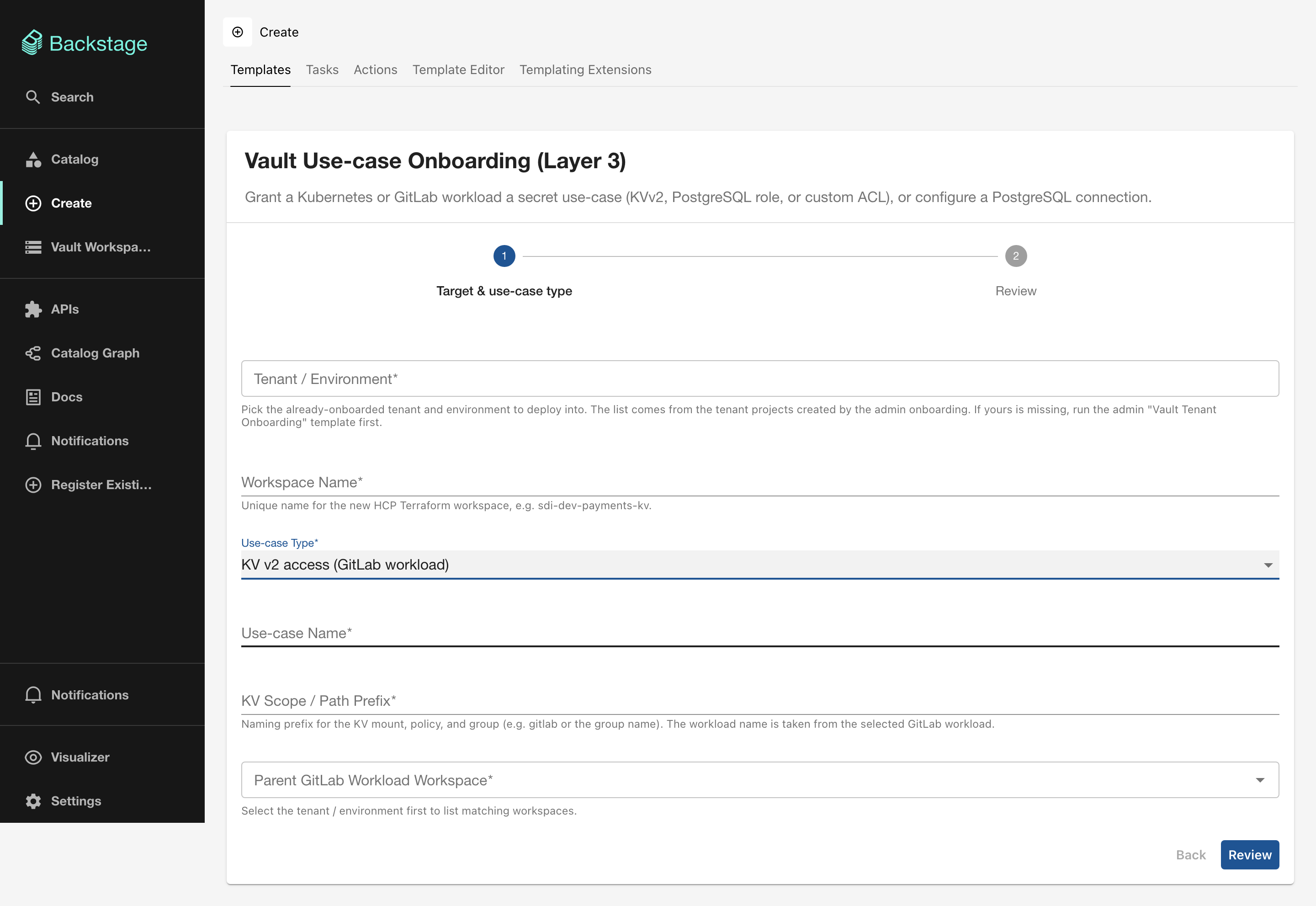
| Field | Required | Type | Description |
|---|---|---|---|
| Use-case Name | Yes | string |
Identifier for this use-case. |
| KV Scope / Path Prefix | Yes | string |
Naming prefix for the KV mount, policy, and group. |
| Parent GitLab Workload Workspace | Yes | Scoped Entity Picker | The L2 GitLab workload workspace. |
PostgreSQL static role
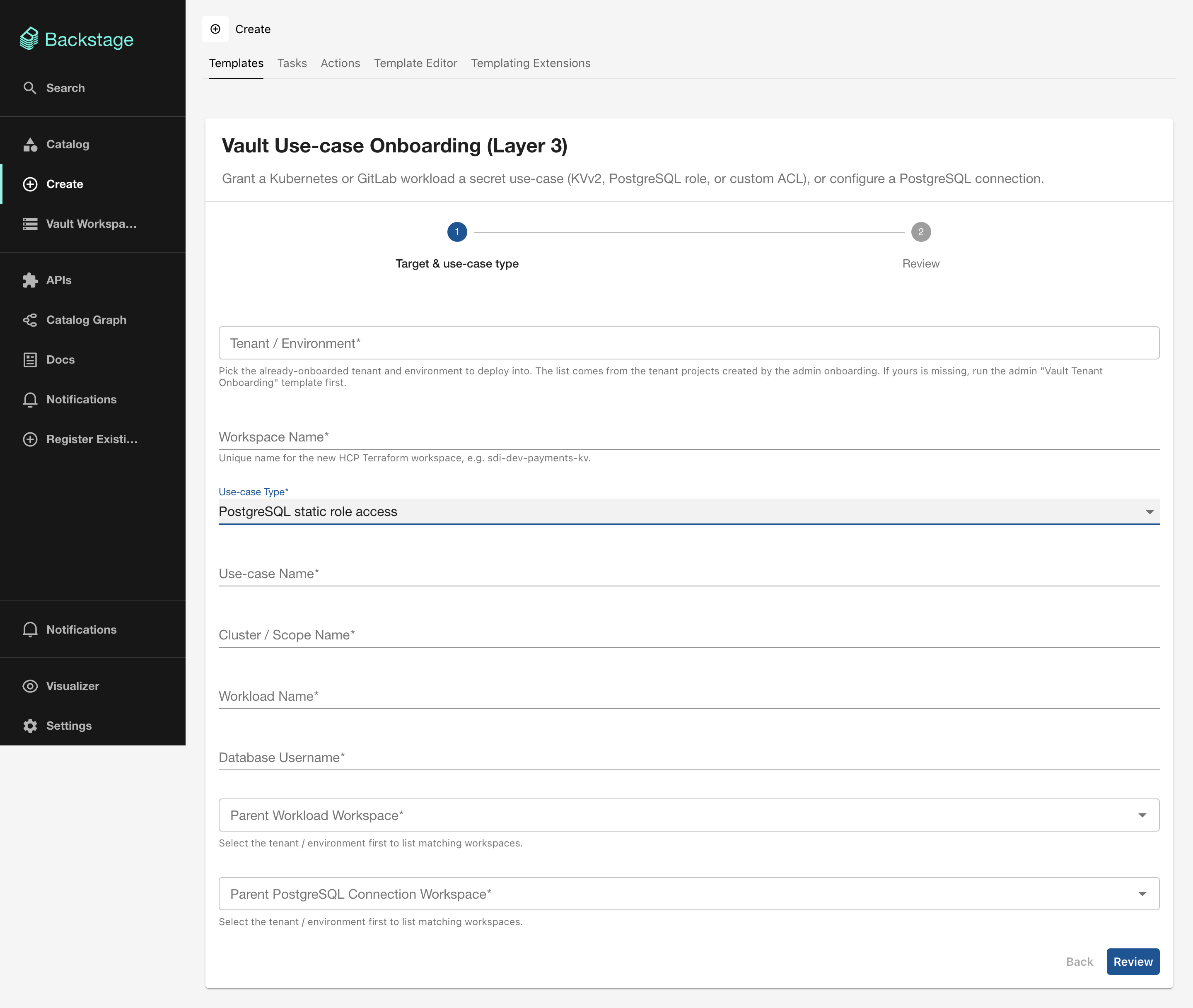
| Field | Required | Type | Description |
|---|---|---|---|
| Use-case Name | Yes | string |
Identifier for this use-case. |
| Cluster / Scope Name | Yes | string |
Must match the cluster name from L1. |
| Workload Name | Yes | string |
Must match the workload name from L2. |
| Database Username | Yes | string |
The PostgreSQL username for the static role. |
| Parent Workload Workspace | Yes | Scoped Entity Picker | The L2 workload workspace. |
| Parent PostgreSQL Connection Workspace | Yes | Scoped Entity Picker | The L3 PostgreSQL connection workspace that backs this role. |
Custom ACL permission group
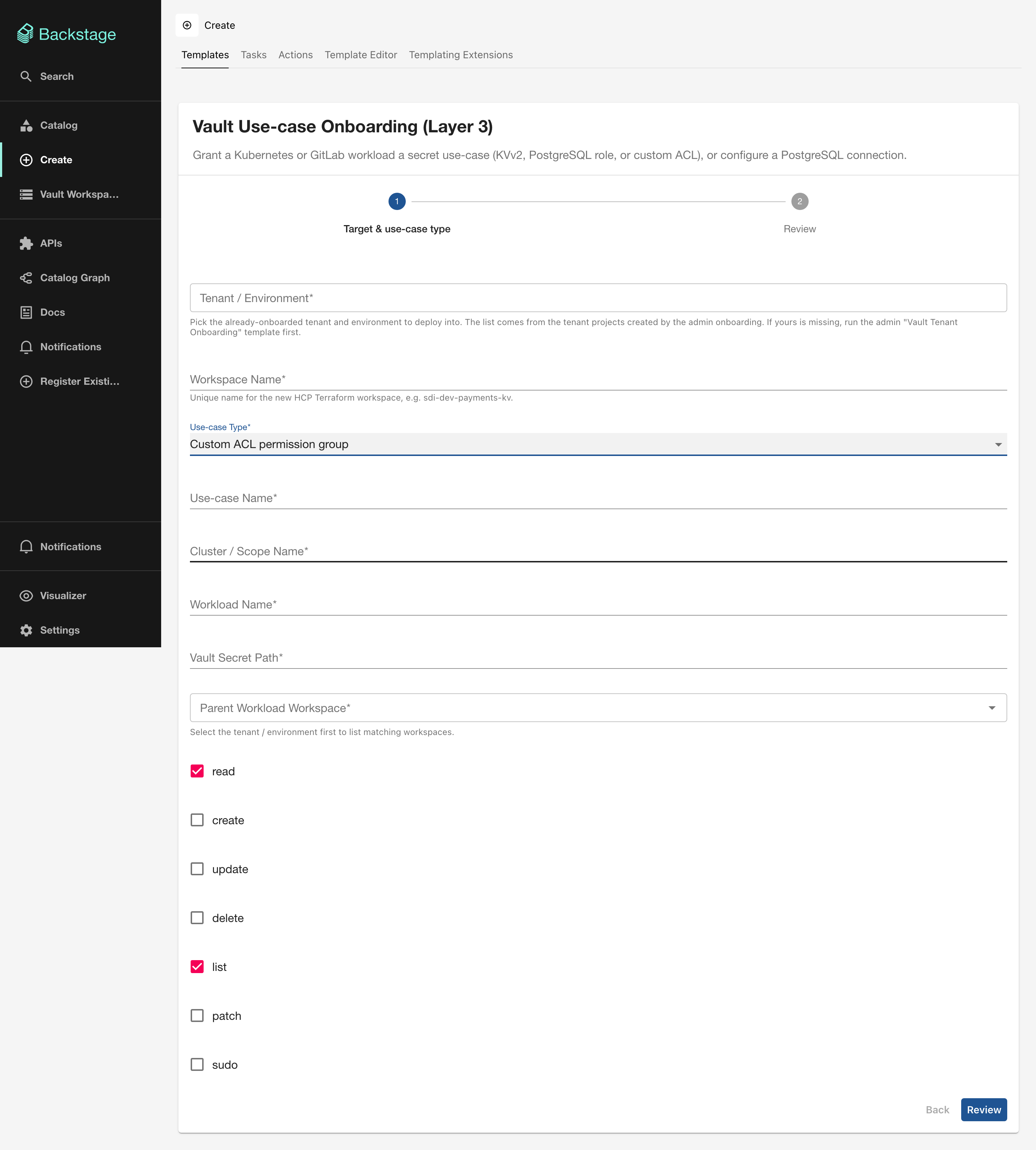
| Field | Required | Type | Description |
|---|---|---|---|
| Use-case Name | Yes | string |
Identifier for this use-case. |
| Cluster / Scope Name | Yes | string |
Scope identifier. |
| Workload Name | Yes | string |
Must match the workload name from L2. |
| Vault Secret Path | Yes | string |
The Vault path to grant capabilities on. |
| Parent Workload Workspace | Yes | Scoped Entity Picker | The L2 workload workspace. |
| read | — | boolean |
Default: true |
| create | — | boolean |
Default: false |
| update | — | boolean |
Default: false |
| delete | — | boolean |
Default: false |
| list | — | boolean |
Default: true |
| patch | — | boolean |
Default: false |
| sudo | — | boolean |
Default: false |
PostgreSQL connection (DBA root config)
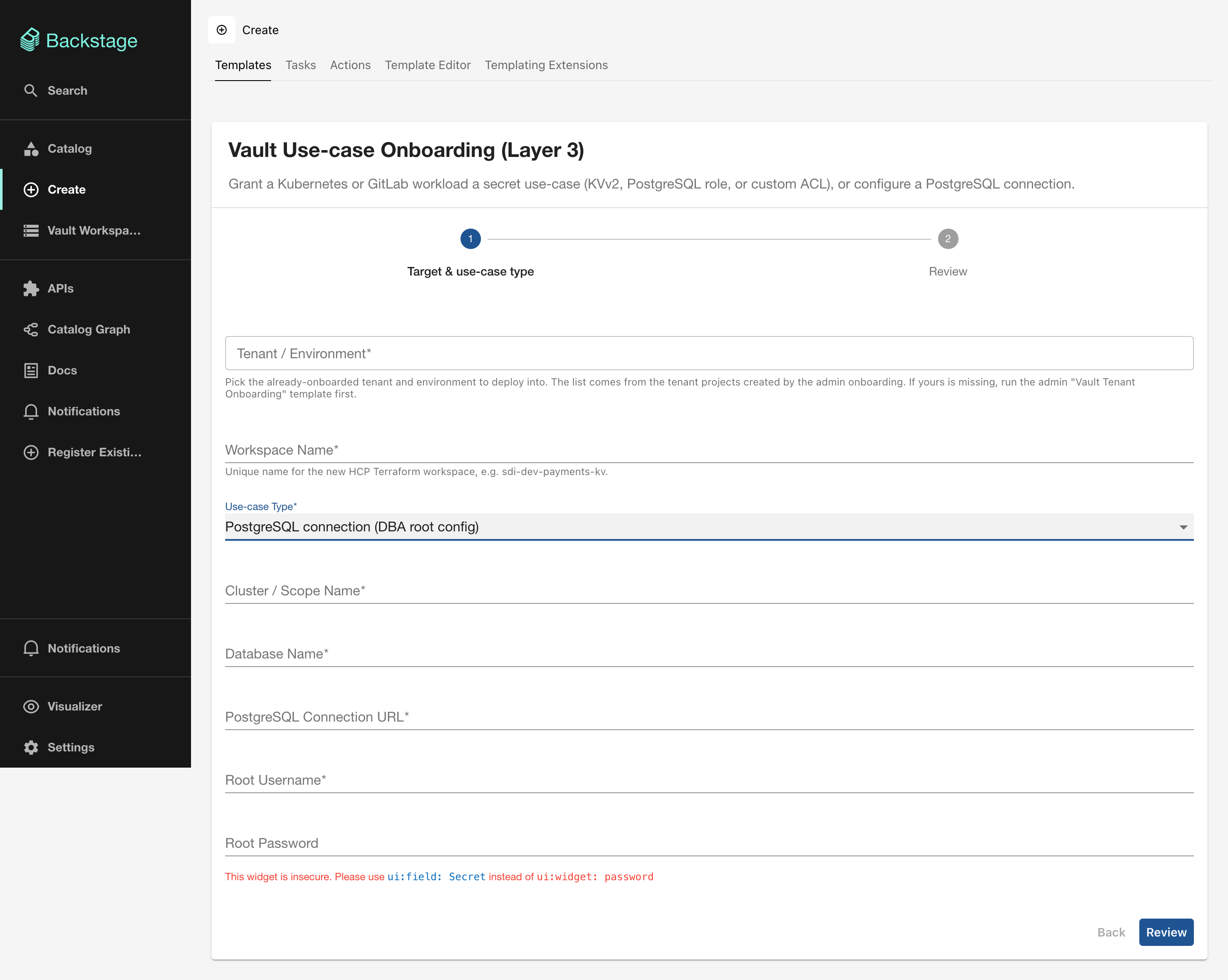
| Field | Required | Type | Description |
|---|---|---|---|
| Cluster / Scope Name | Yes | string |
Scope identifier. |
| Database Name | Yes | string |
Database identifier. |
| PostgreSQL Connection URL | Yes | string |
Connection string for the database. |
| Root Username | Yes | string |
Database admin username. |
| Root Password | Yes | password |
Database admin password (masked in UI). |
Sensitive inputs
The PostgreSQL connection URL and root password are marked as sensitive variables in HCP Terraform and are never stored in Backstage or the catalog.
Output
- HCP Terraform run status
- Link to the HCP Terraform Workspace
- Link to the HCP Terraform Run